

These 1-2-3 instructions are for scheduled guests for either our weekday morning news livestream, or our weekly podcast.
IMPORTANT: Make sure your internet connection is strong.
Riverside relies on internet connection to record and transmit sound. We recommend that your device is connected to a strong signal, preferably a land-based connection such as Optimum, Verizon or Spectrum.
Please do not use a cell phone 4g, 5g or LTE signal during the interview, as the signal may drop from time to time.
If you require assistance with your internet or phone connection, please call (845) 877-7333 xt. 0, leave a message and we will return your call.
1. Use a good quality computer or smartphone for the podcast
Our system allows for both Windows and Mac devices, as well as most modern smartphones after 2020. The following modern devices work well.


Please be sure that your device has a microphone built into it, or you have an external microphone.
Bottom line: If you can Zoom with it, you can podcast with it, on AM Rockland News.
2. Select the device you are using from the list below.
If you have another device not included in the list above, please call (845) 877-7333 xt. 0, leave a message and we will return your call.
For Windows PCs and laptops, disregard step 3 (below) – you’ll connect immediately into the studio.
3. To connect to the studio, use the link(s) below.
We can also send this link to you via email or text message immediately prior to the interview.
Join Studio as Guest
You will be connected to the studio, and will be able to speak with the show host and the studio audience. The interview will also be recorded for post-production of a polished podcast, available on Spotify and Apple Podcasts.
If you are planning to be a guest on the show, use this link.
Join Studio Audience
You will be connected to the studio, but only to listen. You cannot ask questions or interact with the hosts or guests. But you’ll be able to hear it live. We are working on additional features!
If you are planning to be part of the studio audience, use this link.
Please plan to arrive 3-5 minutes prior to the time of your guest spot.
OPTIONAL: Test Your Mic
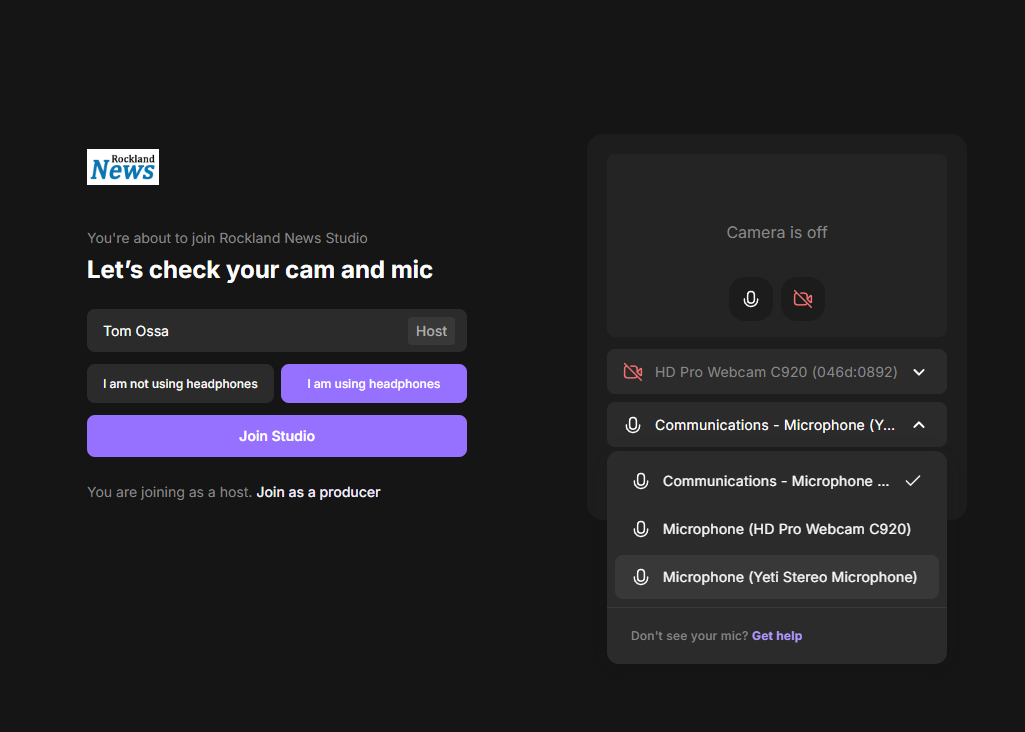
If you’ve been on Zoom, this won’t be a problem. Basically just make sure your microphone works. Riverside makes this easy with a mic test in the app.
Please note that you will not be on camera during the recording. We only broadcast and/or record your sound, and only during the studio session.
If you require technical support with your any of the above steps, please call
(845) 877-7333 xt. 0
Leave a message and we will return your call. Thank you.